How To Use Our Website
Our website is slightly unique and different to how many other e-commerce websites operate.
Once you understand the system, it's actually works really well but for your first ever order it can be a little confusing.
The highlights are
- You do not need to checkout. Just place an item in your basket.
- The website will create an order for you at your order cut off time (time at the top of your basket) and send you a confirmation email.
- You will receive an email at 5pm on your order deadline day reminding you what is in your basket.
- You will not receive a confirmation email until payment has been taken when the website creates an order for you.
Our website has a feature called a 'live basket' instead of a regular checkout. It's fantastic for repeat easy ordering. You sign up once, add a payment method and then add and remove items from your basket freely each week.
That's it!
No checking out, no filling in loads of details everytime you want to shop, just add an item to your basket and let the website do the rest.
You can add most items on our website as a one off purchase, weekly or fortnightly.
Live Basket
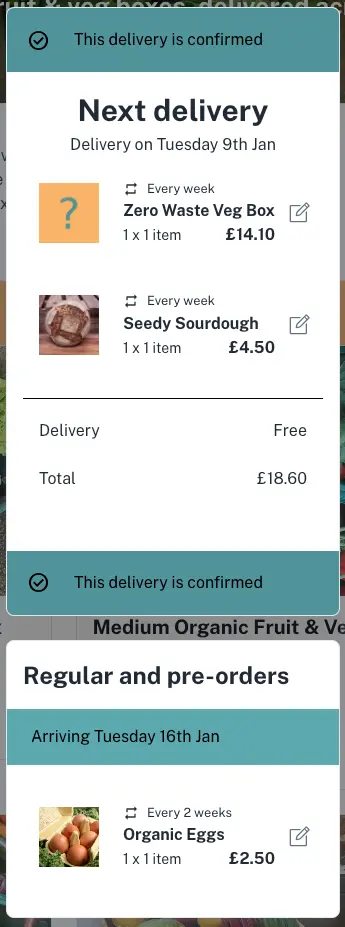
Once signed up and a payment method is added to your account. This is roughly what your basket will look like once you have some items in your basket.
You can see the date at the top of the basket is when your order will come.
When you get closer to your delivery date, this will show as a countdown timer.
When the timer is finished (your order cut off time), the website will take payment from your payment method stored with our payment provider stripe and send you an email confirmation with your order for that week.
We do not store you card details.
To edit items in your basket, you can click on the pencil icon then remove the item completely or change the frequency you receive the item.
Below our next order is a section for 'regular and pre-orders'.
As you can see, this basket gets a zero waste box every week and a seedy sourdough every week but it also gets eggs every two weeks.
As the week of the 9th Jan (in the example basket) is not an egg week, the eggs are available to edit but not within the current basket. They are below in the pre order section.
If we were to look at this basket for the week of 16th Jan, all items would be in the top basket and would be delivered that week.
Booking A Holiday
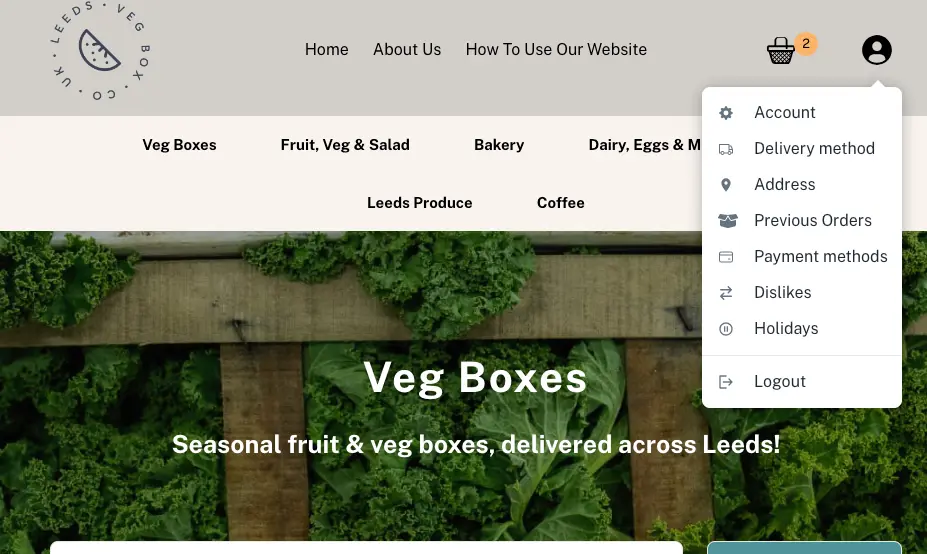
Booking a holiday is done via the account section on the website (top right of the website on mobile or desktop).
All you have to do is tick which dates you are not here for.
We have to order all our veg one week in advance, so the earlier you book holidays the better for us as it will limit waste.
Stopping Your Deliveries Or Changing Items In Your Basket
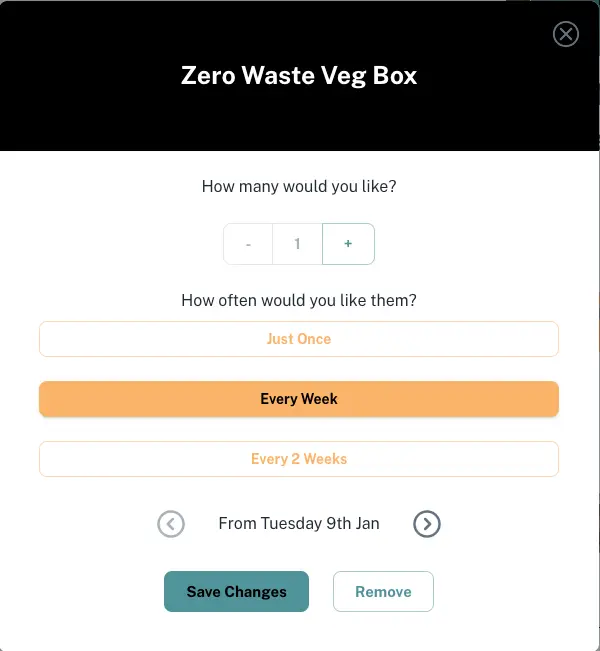
To stop receiving your delivery completely go to your basket, click on the pencil icon then click remove.
From this section you can also move your item to a different date and change the frequency of the item.

© 2026 - Leeds Veg Box
Powered by
